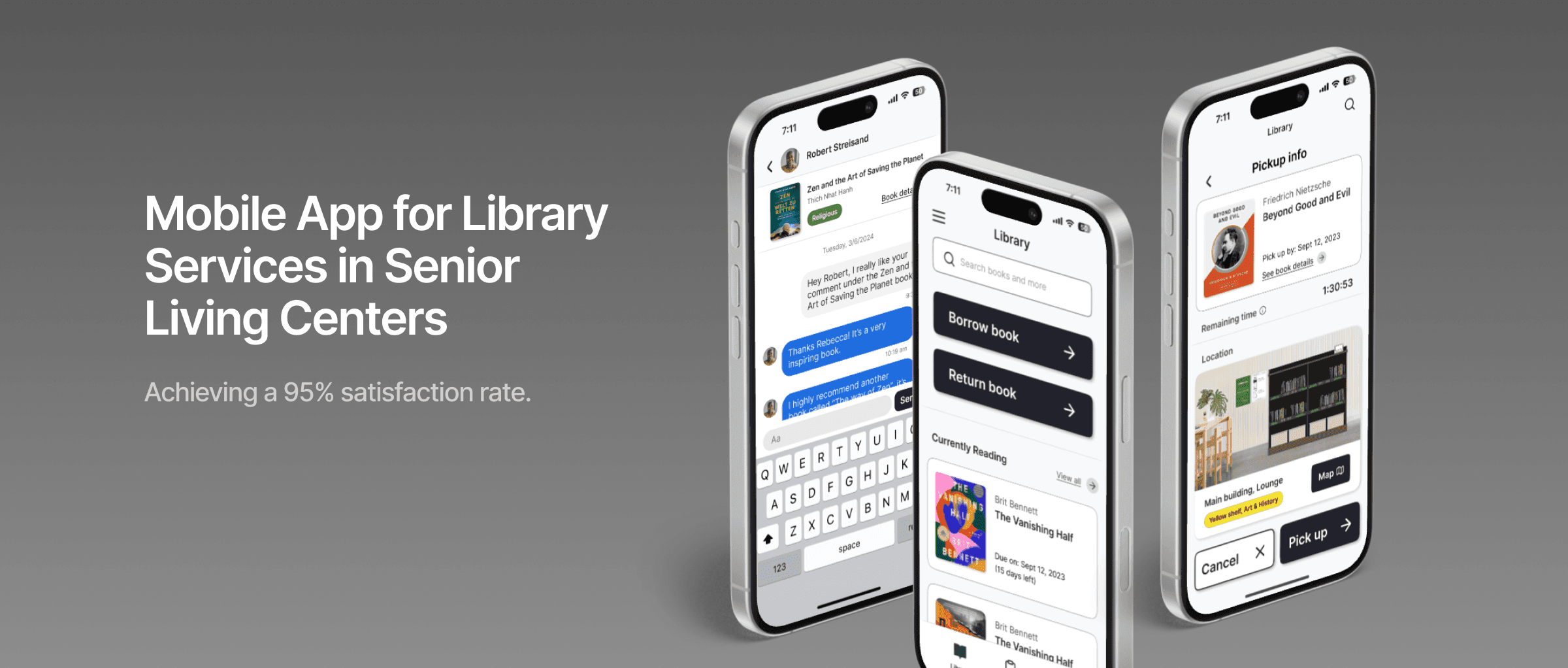
Develop a library module with hybrid interactions that allow easier access and knowledge sharing within the community.
My Role
UX research
UX & System design
Experience design
UI design
Team
1 PM
3 designers
Company
Enso Village
01 / Context
Company Introduction
Enso Village is a Zen-inspired senior living community that provides mindful living and contemplative care.They are incorporating a community management platform for residents to access all village services. The project aims to develop a library module facilitating residents' navigation in the open-space library.
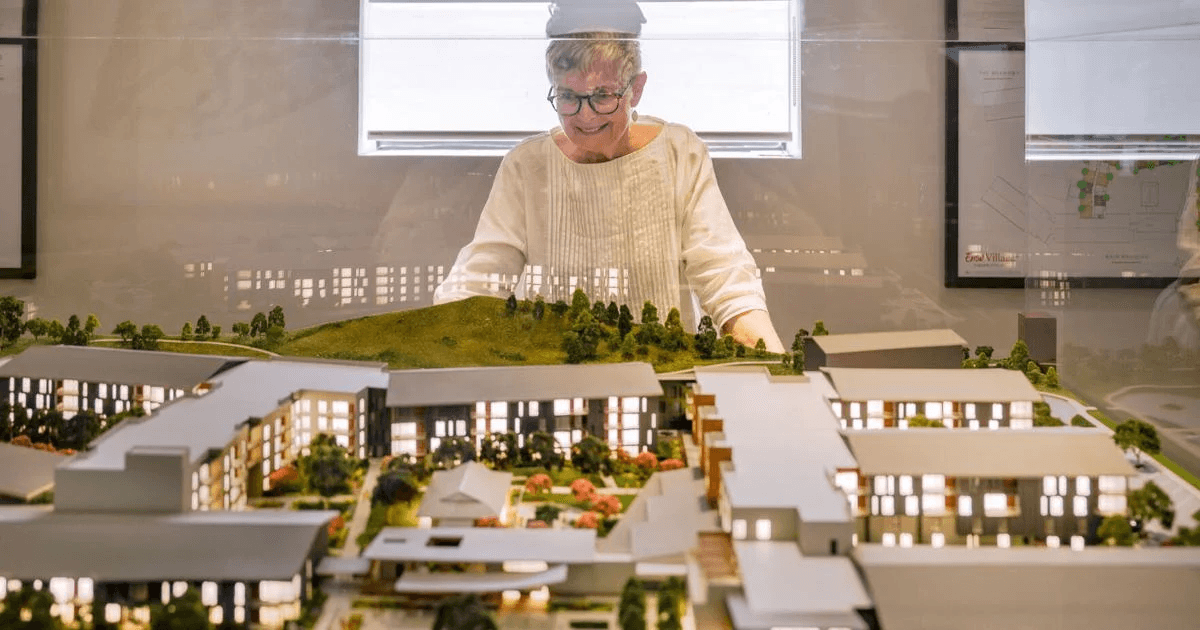
“We don't want to use a whole space for a lot of dusty, moldy old books. we're on the cutting edge of relating to the written word in a different way.
Let's deconstruct the library.”
- Enso Village Team

No librarian resources to provide immediate assistance

Help residents build new connections through reading in the community

Provide a smooth digital experience tailored for elderly users
02 / Solution
A New Chapter
A hybrid self-sufficient library service, combining both digital and physical touch points, guarantees straightforward access to the library and encourages building connections within the community.
Digital library module
Residents can access the new library module through Enso Village community management platform.
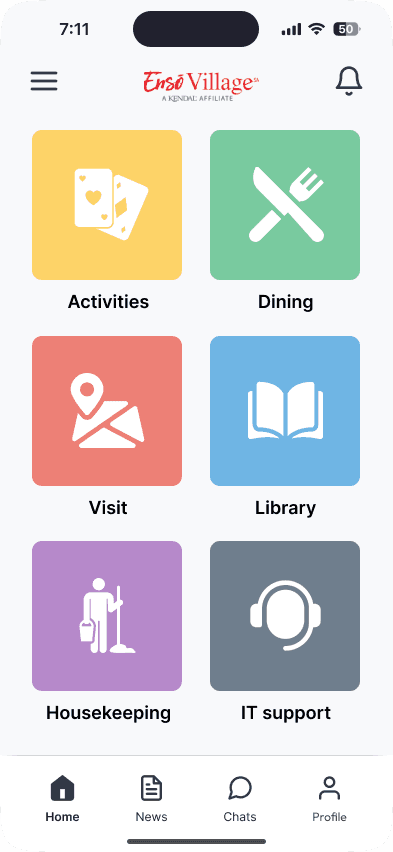
Cubigo homepage
(Community management platform)
Library module
(The project)
Physical space interaction
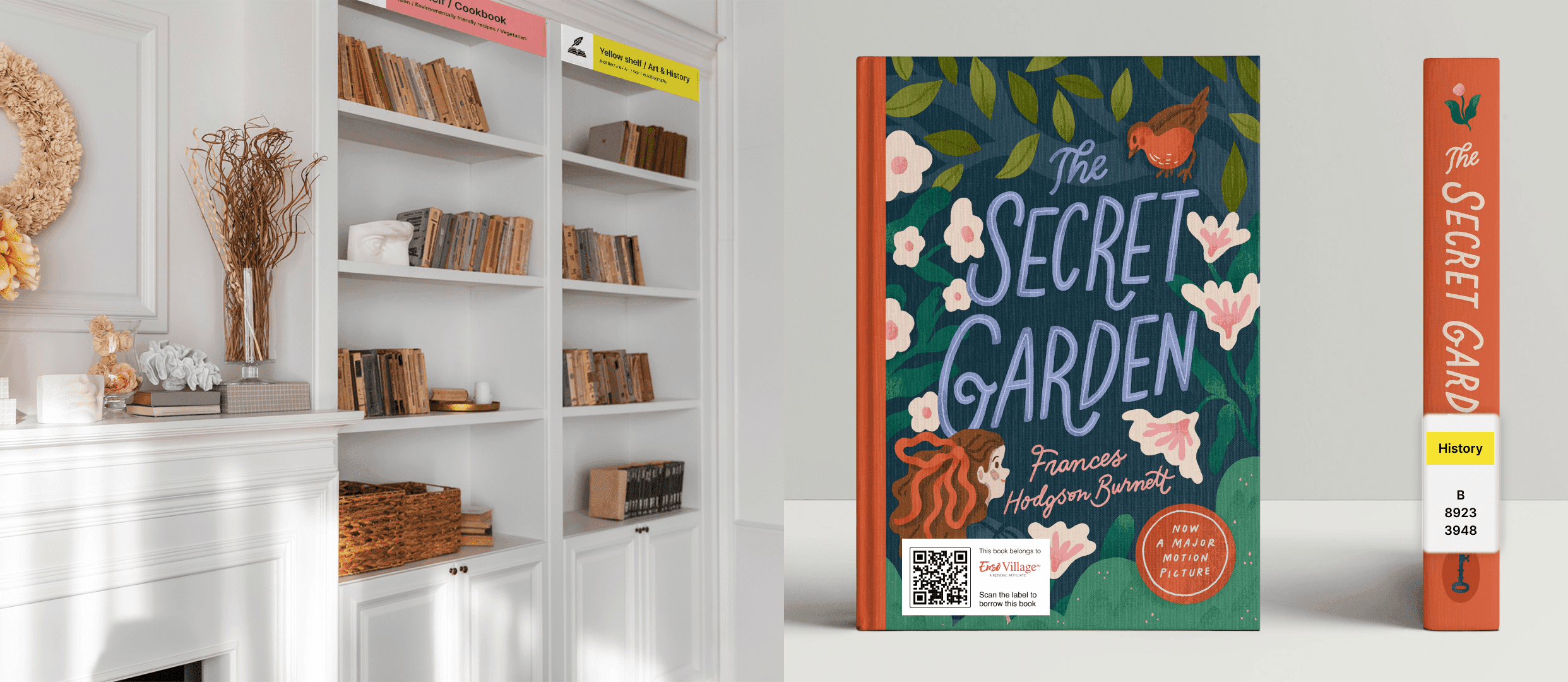
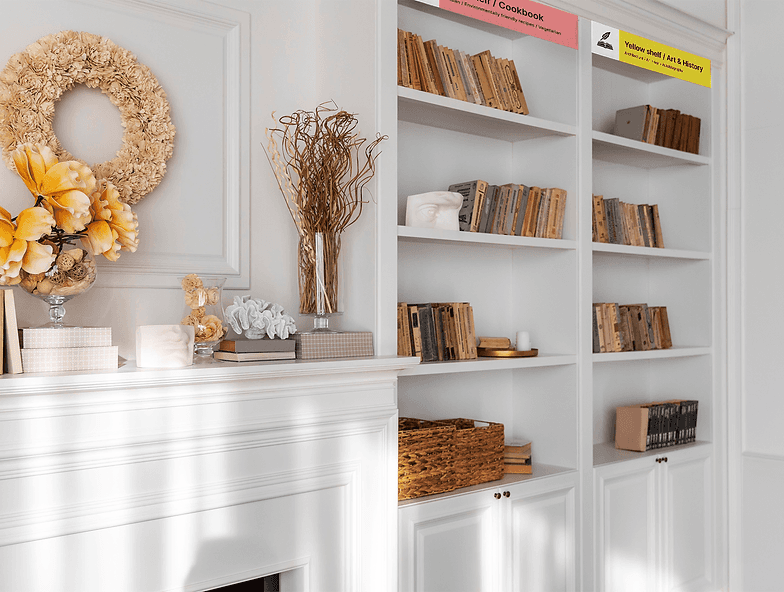
Implemented a color-coded system on both bookshelves and book labels to provide a smoother user experience and enhance search efficiency.
03 / Design Process
User Research
Interviews & Co-creation
Implemented a color-coded system on both bookshelves and book labels to provide a smoother user experience and enhance search efficiency.
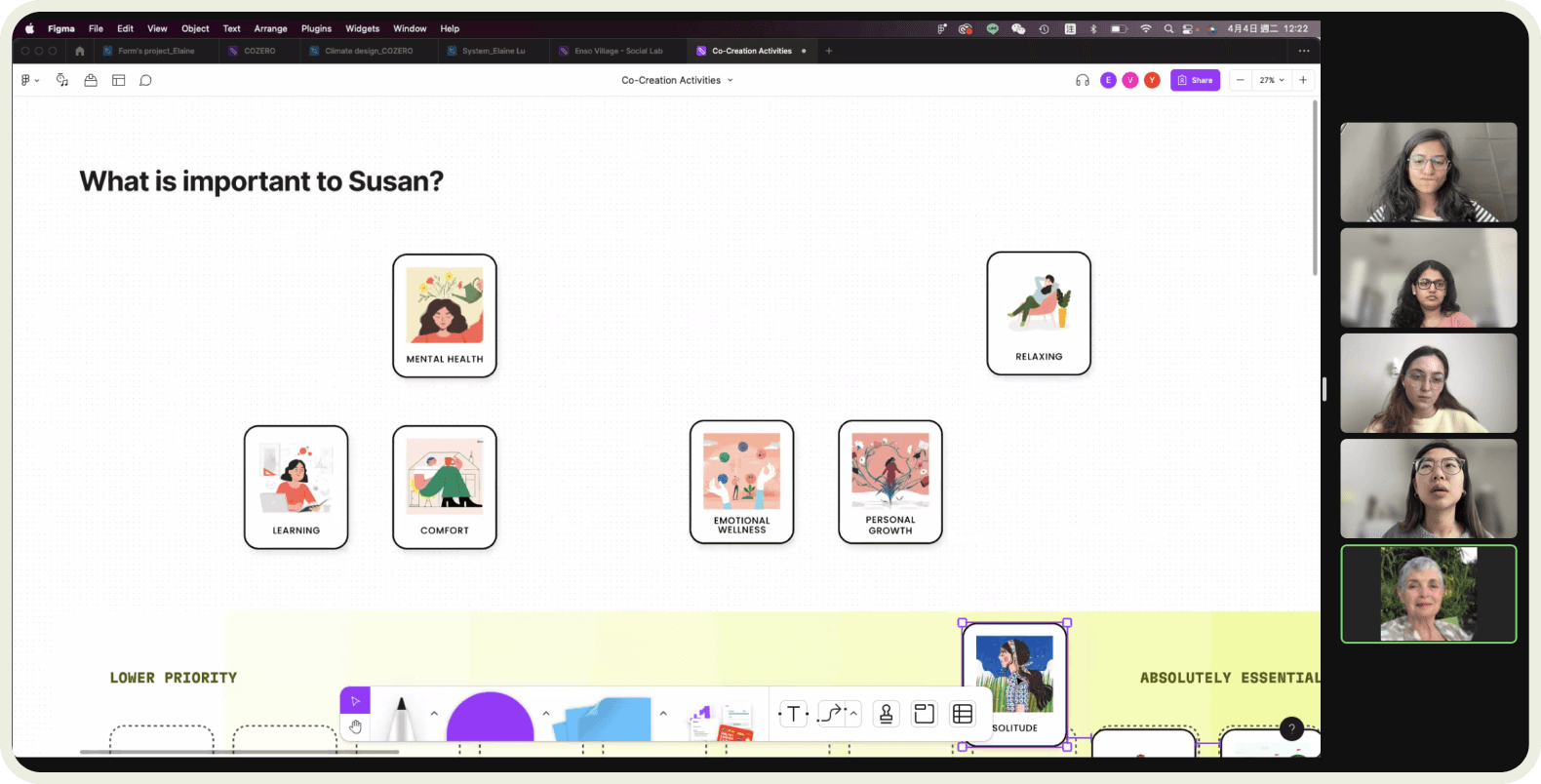
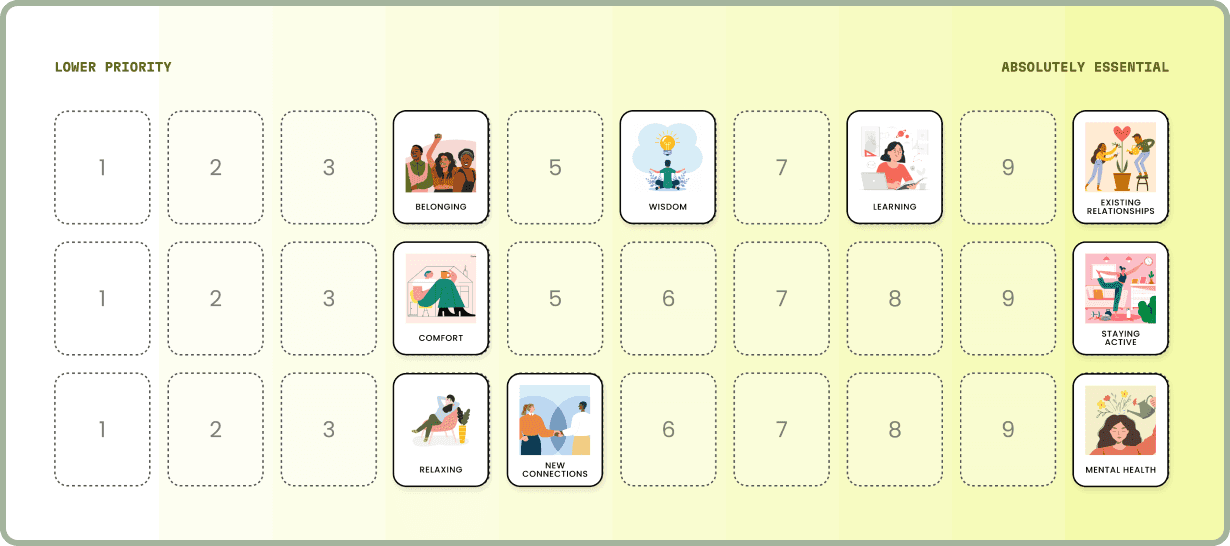
Meet the residents
Age: 65~80
Background: The majority of them have higher educational backgrounds, having retired from diverse fields such as psychology, teaching, art, etc.
Familiarity with tech: 70% of them are tech-savvy (iOS v.s Andriod: 65% v.s 35%)

Babara
“The whole point of being in a senior residence is to have relationships and to have support.”
"I value that it is a place where we can face the change that happens as we age together."

Claire
"I think we're pretty entitled and like to have things our own way, but what's the intersection of individuality and doing things our own way and community values?"
“Part of the challenge of letting go of the books is letting go of that part of our identity.”

Alex
“I would not like the digital, I think a lot of us who are not so digital about our reading habits.”
"When you return a book you're supposed to drop it in a basket at the end, so somebody else does the reshelving."

Susan
“That's what a library is, it's bringing people together in a setting where there's a lot of books."
"Book clubs have been a huge part of my life. Sharing ideas with friends is a vital part of my life."
Synthesis
Applied affinity mapping to cluster similar experiences and thoughts from each interviewee according to various topics.
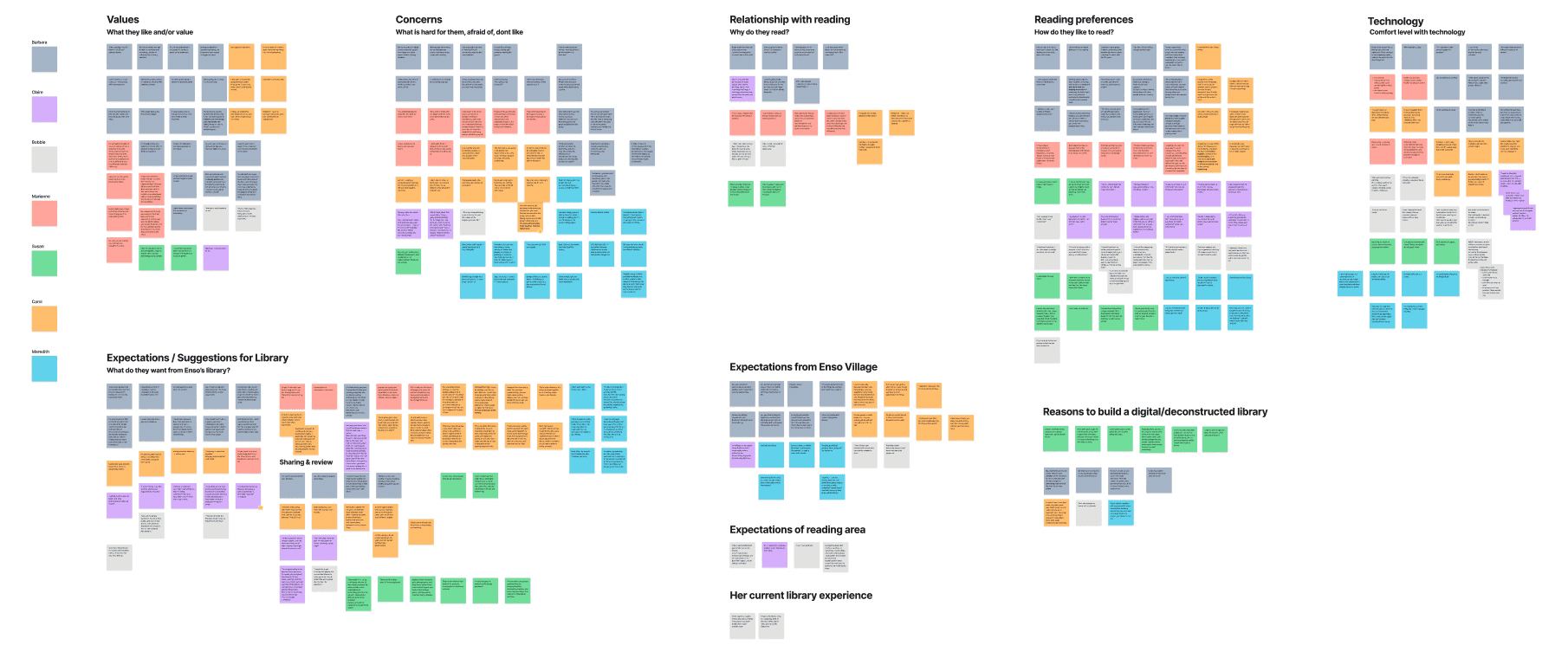
See Figma File
Key Insights
01.
Value physical connections with books and library
02.
Like to share ideas to build connections with each other

03.
Accessible designs for senior users to accommodate the needs
Approach

01.

02.
Like to share ideas to build connections with each other

03.
Accessible designs for senior users to accommodate the needs
User Experience
User Journey Map
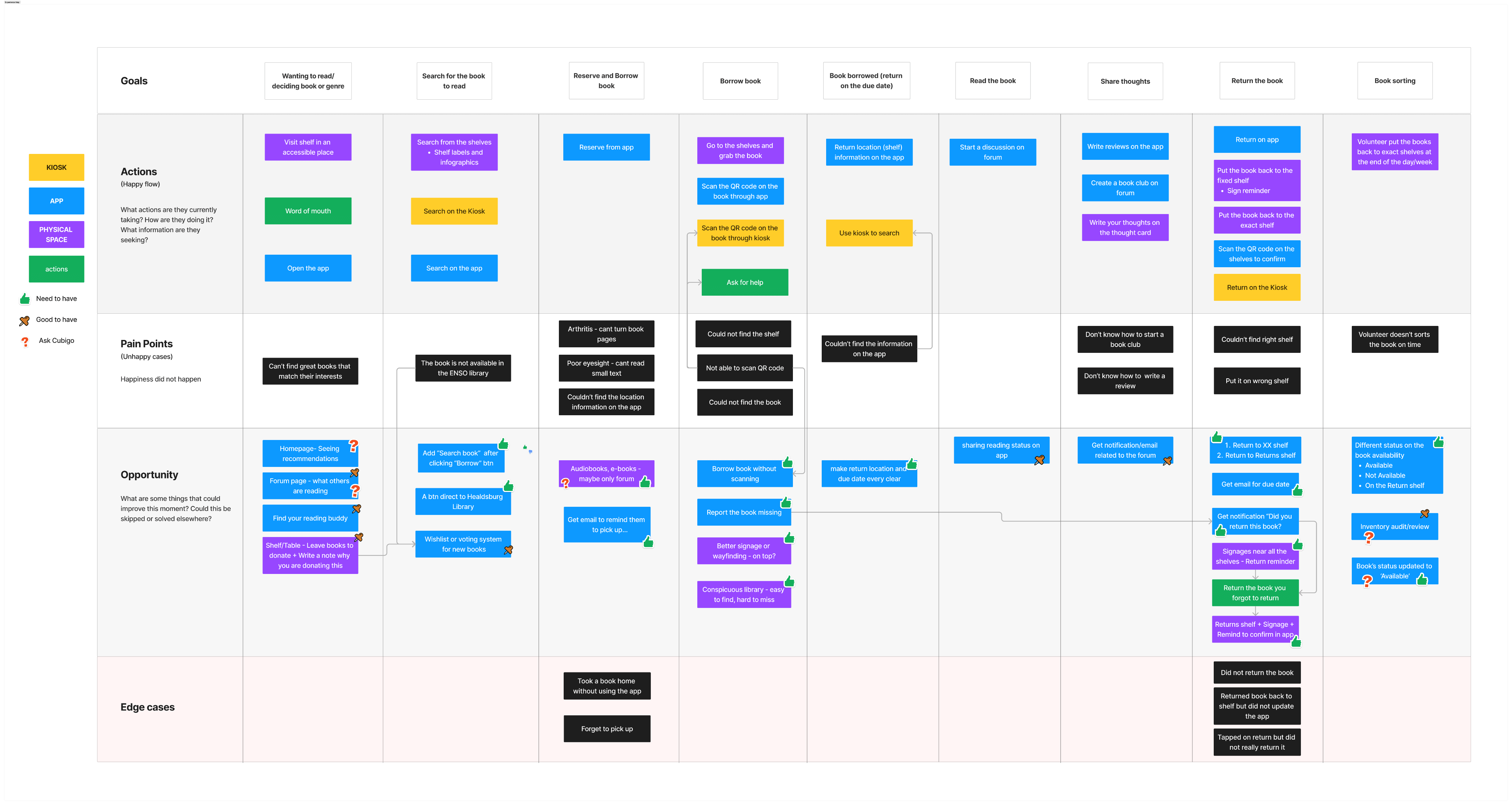
There are 3 different touch points throughout the library experience, including mobile APP, kiosk, and physical analog.
Mapped out the user journey based on actions, pain points, opportunities, and edge cases to better understand the design elements and user flows.
See Figma File
Information Architecture
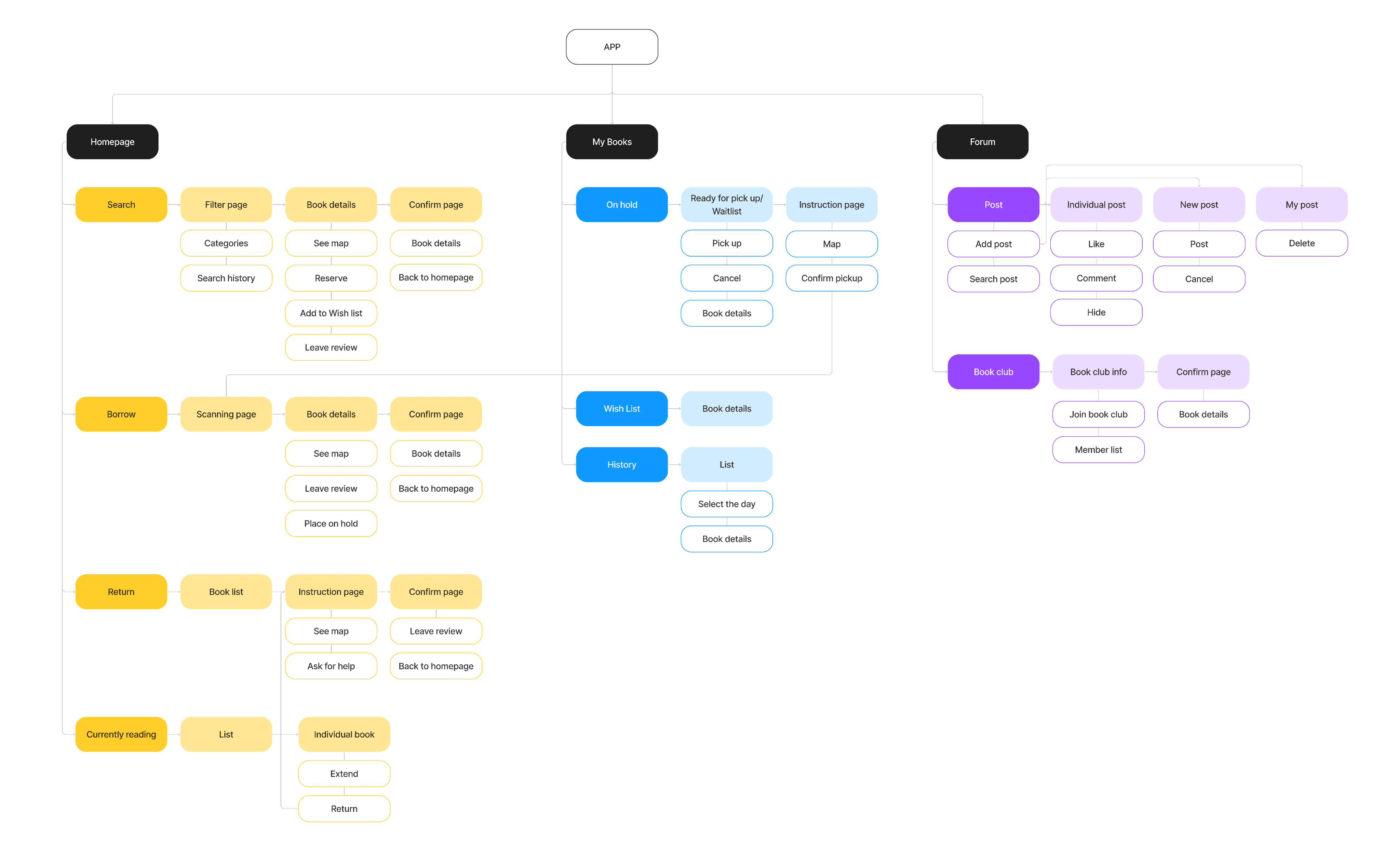
Create a site map of the library APP with 3 main section: Homepage, My books, and Community.
04 / Design Iteration
Design Systems
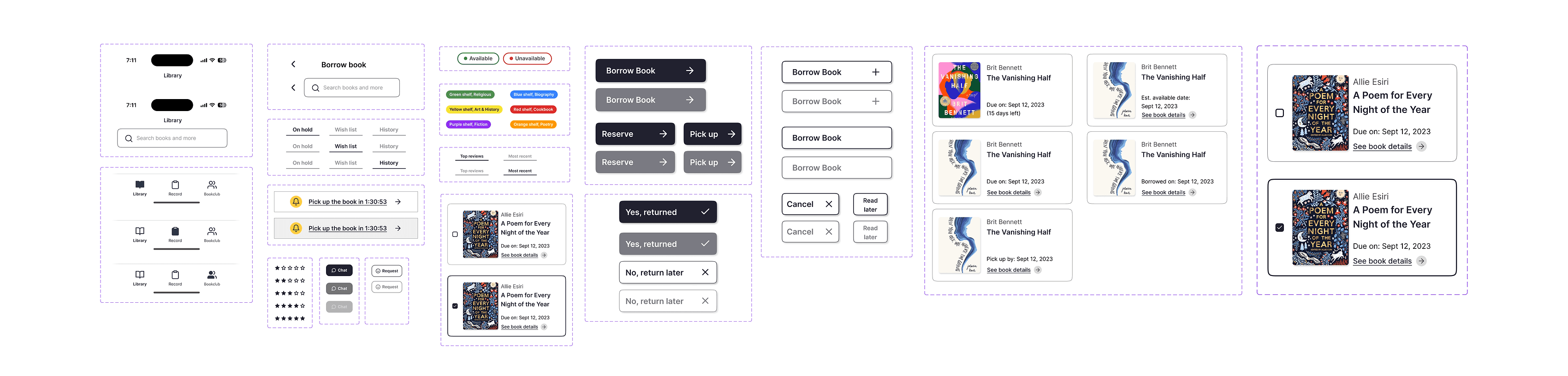
I built the design systems to enhance overall work efficiency between team members, streamlining the design and development processes.
Testing & Learnings
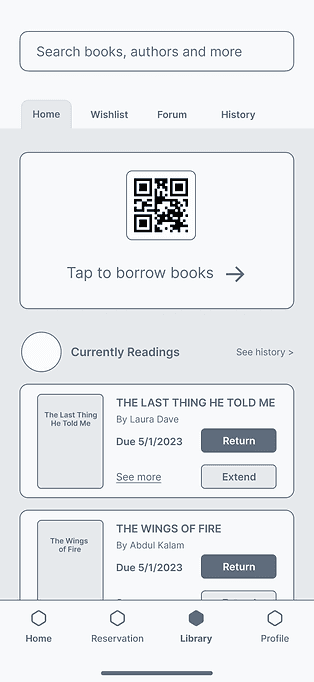
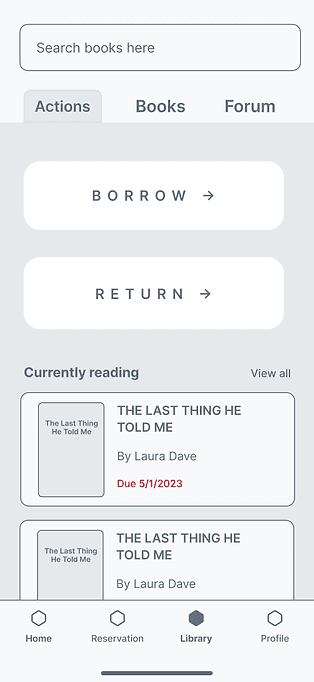
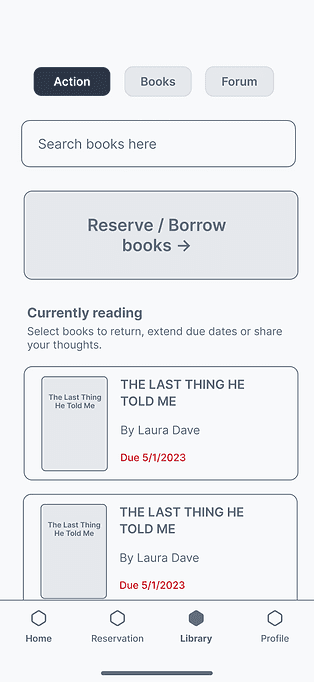
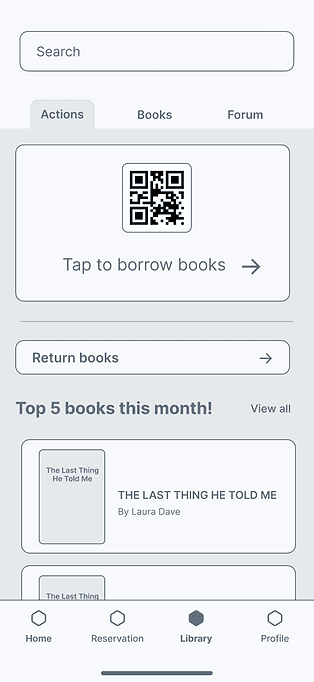
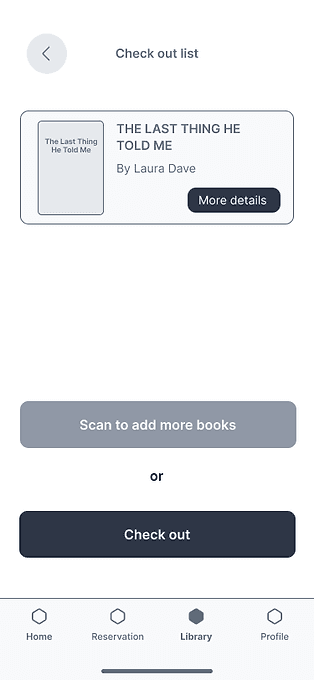
Refined the user flows and designs through an iterative process, drawing insights from 20+ testing sessions. After 2~3 rounds of testing, we realized that seniors are not familiar with wireframe designs, and often get distracted, so we went to high-fidelity design on the earlier stage.
01.
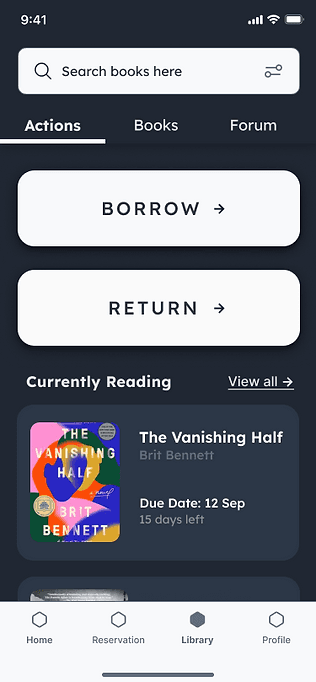
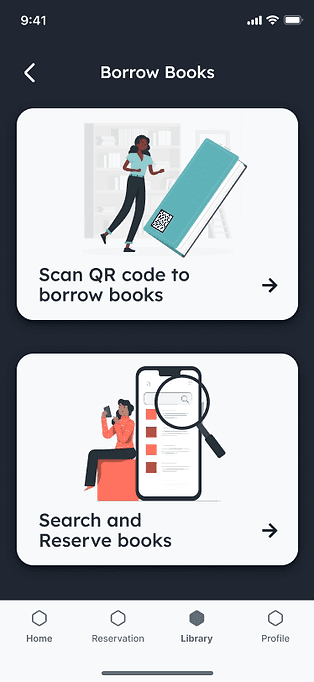
Users prefer simplicity over excessive information
We aimed to offer comprehensive information, but users prefer simplicity and minimal cognitive load.
02.
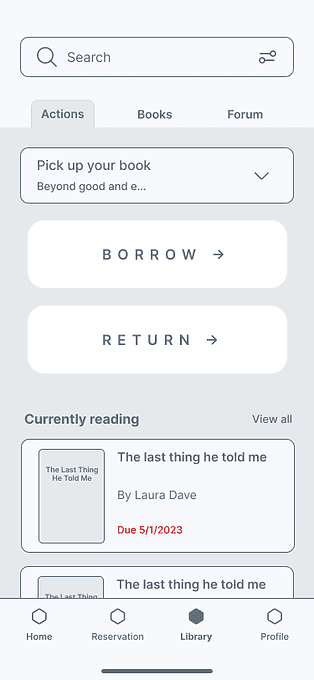
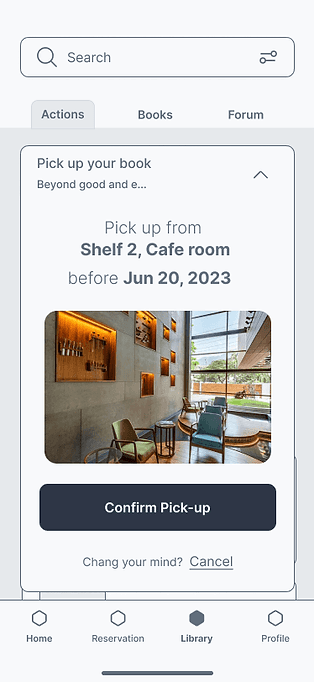
Users lack of familiarity with the current touch gestures
While the users are more tech-savvy than the typical elderly individual, certain touch gestures like Swipe-to-delete or Tap-to-expand are still relatively unfamiliar to them.
03.
Complex user flows create confusion and anxiety
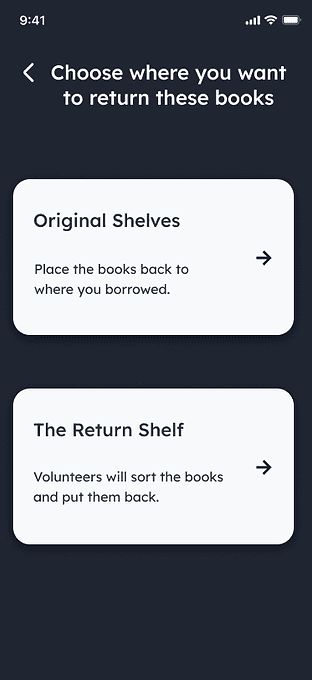
We discussed multiple solutions to prevent users from not returning books to the original shelves or mark in the app.
However, we found that these flows made the process overly complex, which went against the product's goal of providing a joyful reading experience.
05 / Design Showcase
Final Design - Digital
The final designs centered on addressing accessibility for senior users, fostering opportunities for building connections, and offering tailored support.
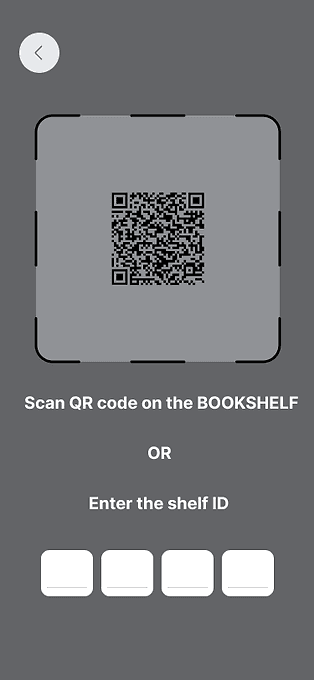
Self-sufficient navigation
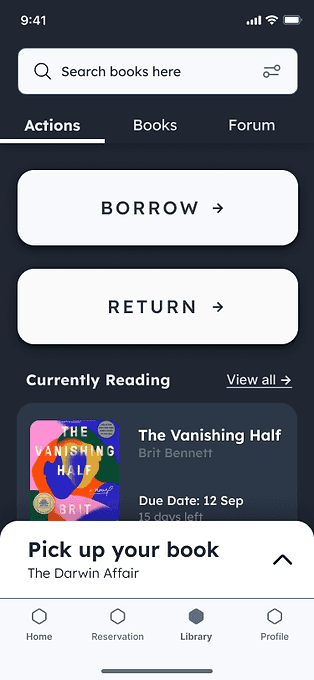
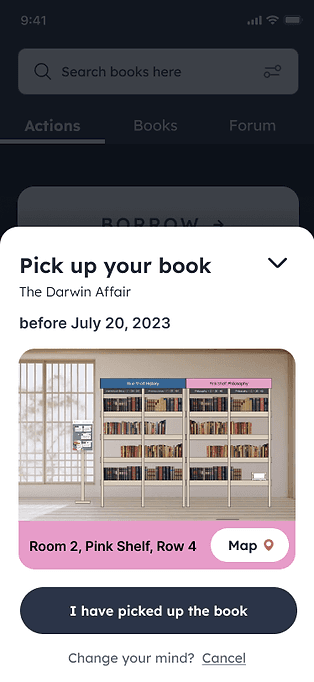
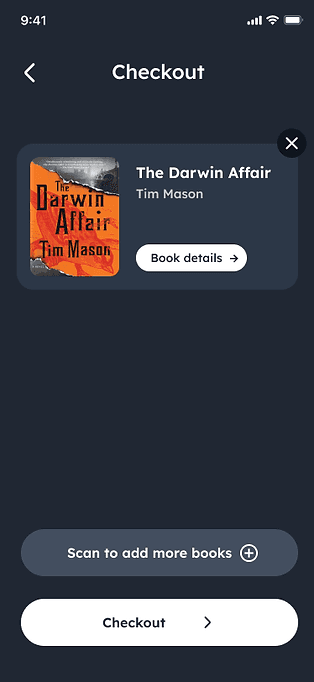
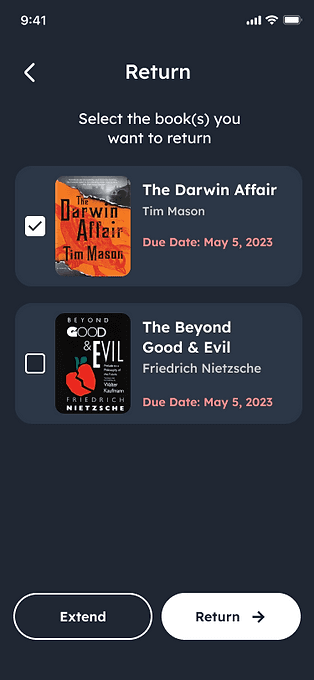
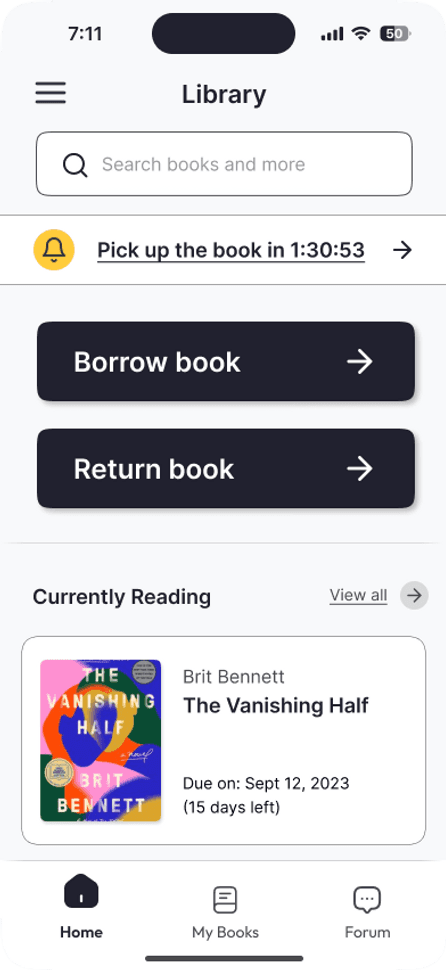
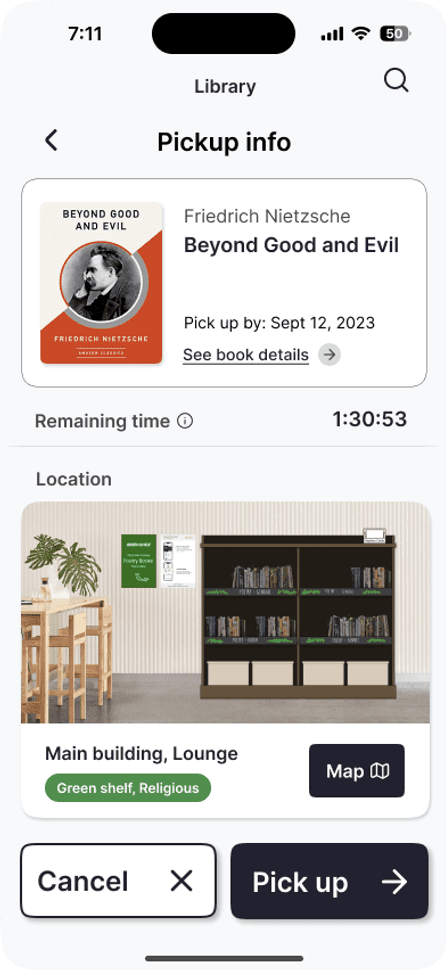
To align with users' familiarity, I replaced tap-to-expand touch gestures with the traditional method, guiding users to a new page for additional information.
Opt for a simple color palette, larger buttons, and texts, and streamline the displayed information to reduce user cognitive load.
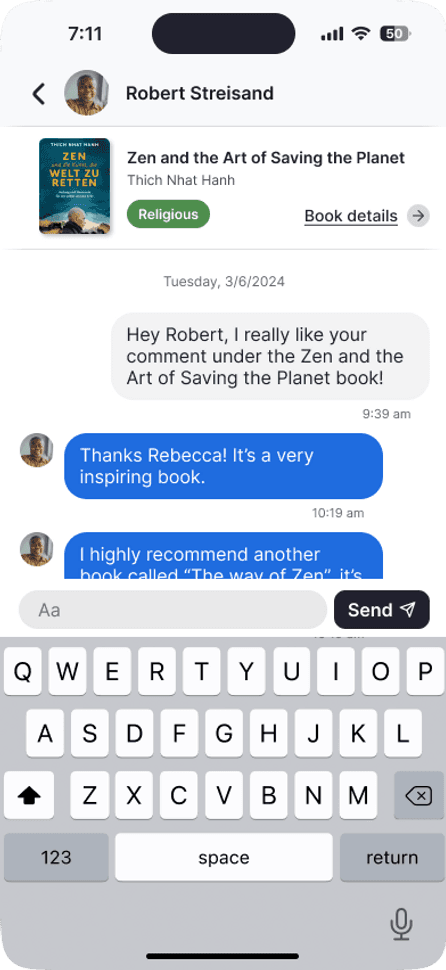
Encourage building connections
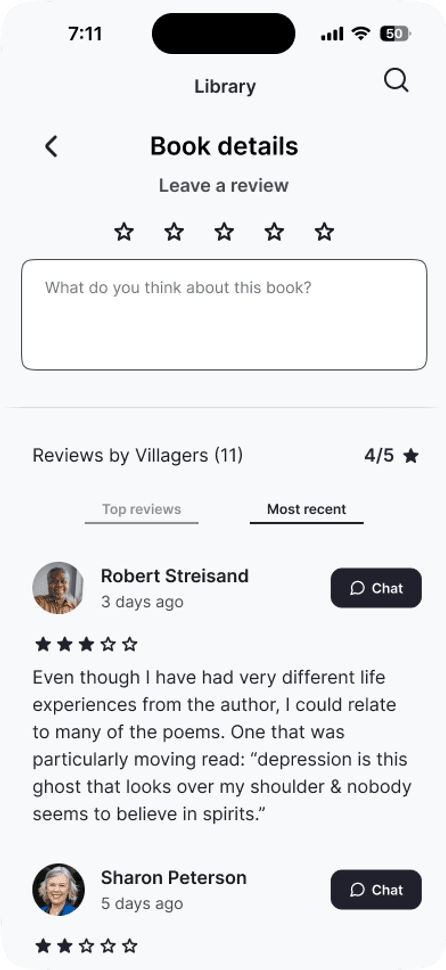
Add a chat button on the book details page, allowing users to peruse reviews from others and communicate directly with the person through the management platform.
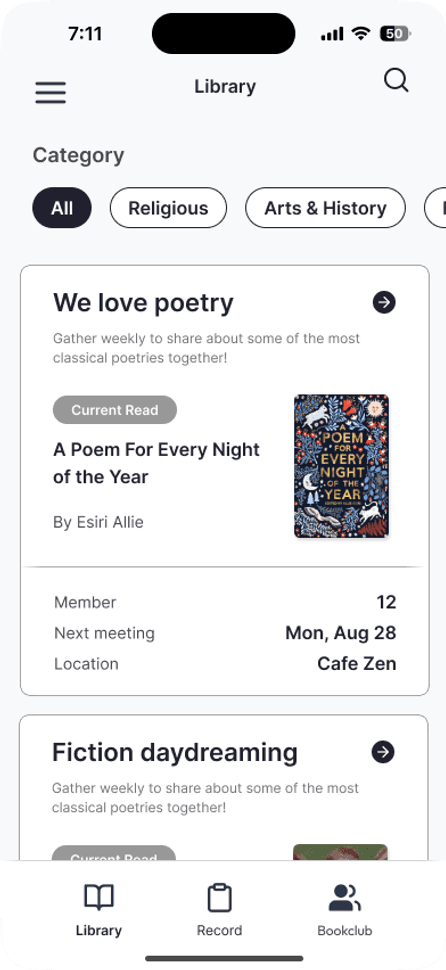
Integrate a book club section enabling users to host, access information, and join book clubs to encourage knowledge-sharing.
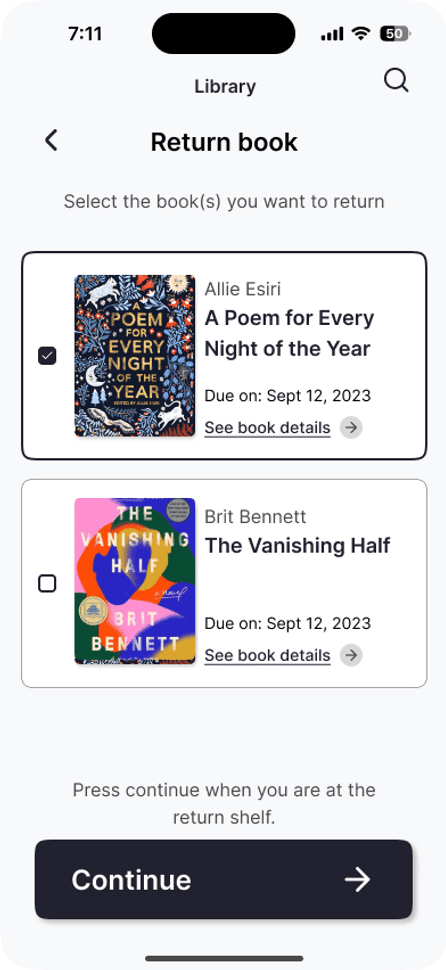
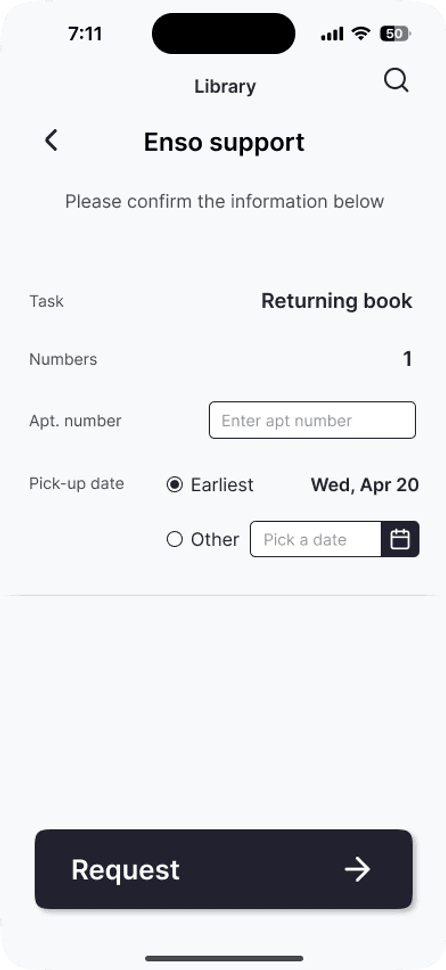
Tailored support, joyful experience
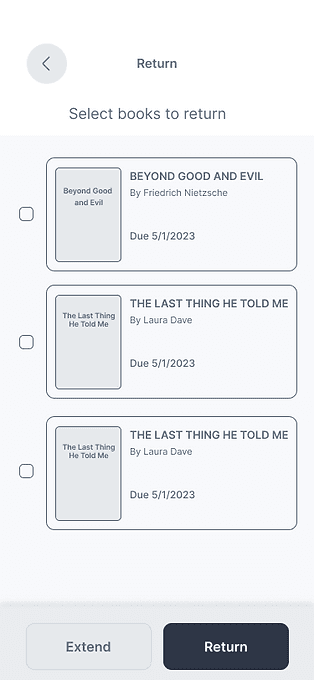
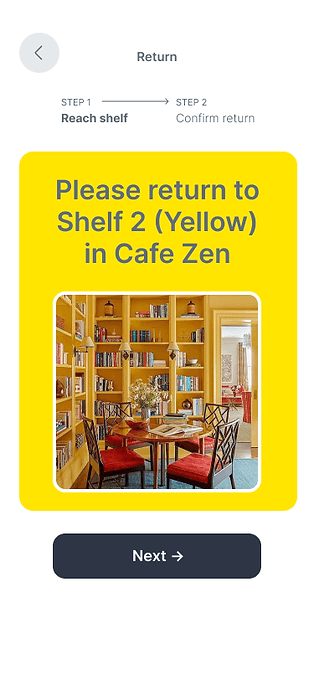
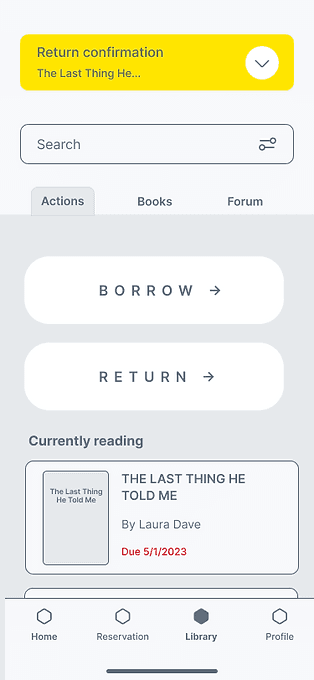
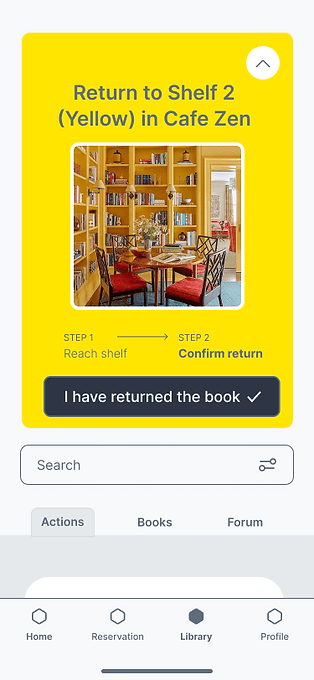
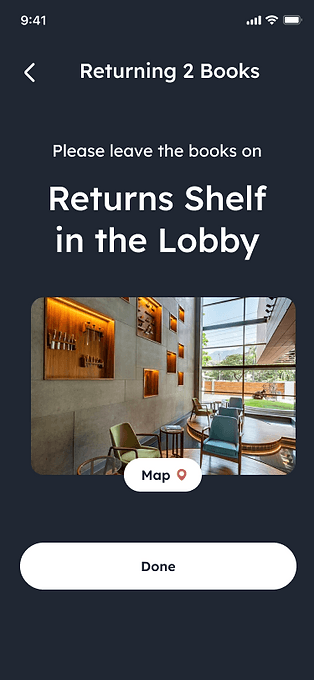
Simplify the return flow: residents return the books to the fixed return bookshelves, and volunteers help to reshelve the books to avoid chaos.
Provide tailored support: wheelchaired and disabled residents can ask the staff or volunteers to come to pick up the books at the apartment and help return them.
Enso staff and volunteers receive the requests on Cubigo staff app
Final Design - Physical
The final designs centered on addressing accessibility for senior users, fostering opportunities for building connections, and sufficient guidance.
01.
Value physical connections with books and library
Applying one color on each shelf based on categories to help senior residents finding the books more easily.
02.
Book labels
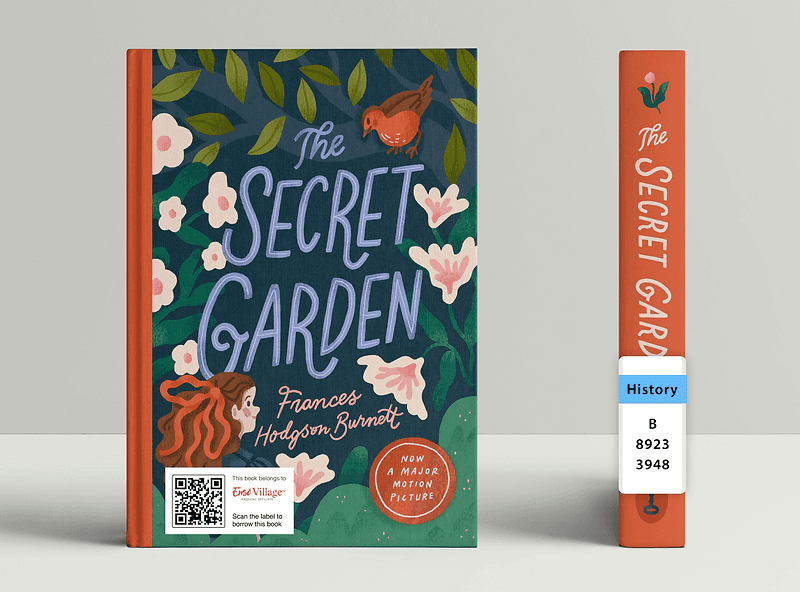
The color-coded system will extend to book labels, aiding residents in locating books and assisting volunteers in effective book sorting.
03.
Instruction poster
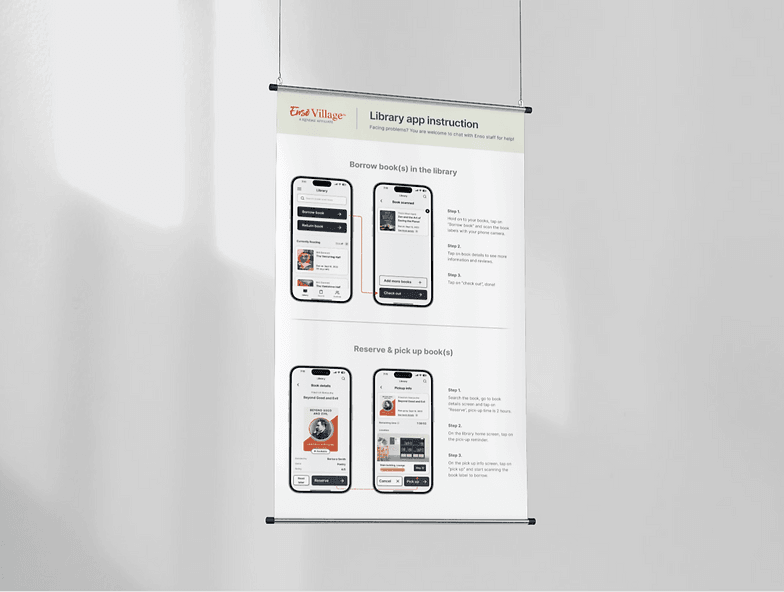
There will be posters near the bookshelves to help guide the residents to use the APP.
04.
Sharing cards
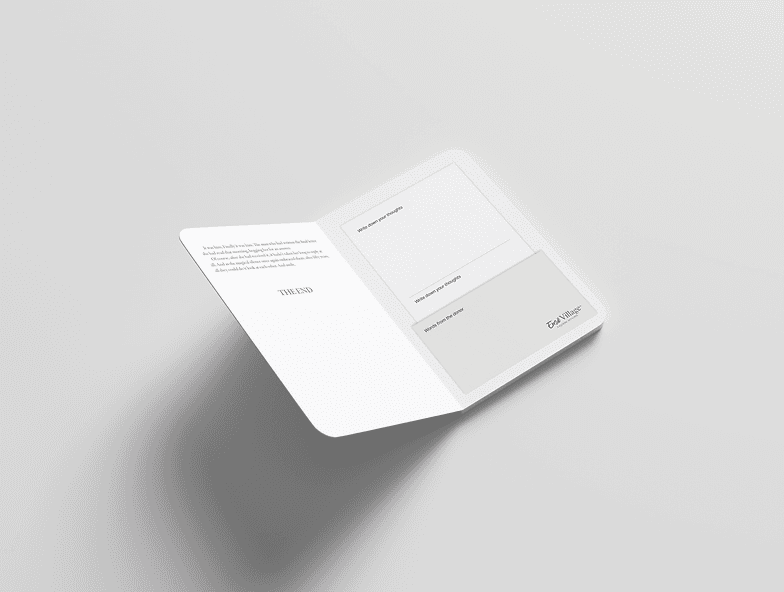
Place cards on the final page of each book to enable donors to leave notes for readers, and readers to leave notes for those who follow.
06 / Result
Testing Metrics
User satisfaction score
Conduct surveys or gather feedback to assess user satisfaction navigating the app
6.7
8.9
Task-completed rate
Measure the percentage of users who successfully completed the assigned tasks
70%
91%
Time spent
Measure the average time users spend on the main library action to ensure the efficient user flows
-11%
Reflections
Design for the users, not yourself
Our team had conflicts on the style guide and layouts due to different personal preferences and forgot about the real user needs.
Innovation does not always work
From the interviews, we learned that some residents don’t agree with the concept of deconstructed library because they can’t imagine it.
Emotion matters in the digital world
Observing the reactions during the testing sessions, I realized the significance of bringing user satisfaction by crafting happy path.